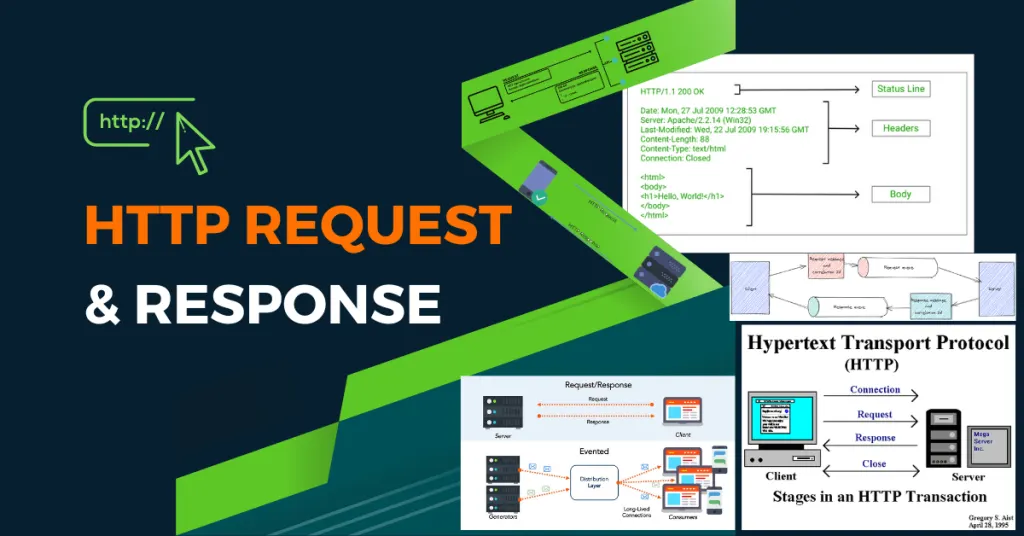
Whenever we open a browser and search for something on the internet we make an HTTP request.
But what is exactly an HTTP request and how we can use it to gain a bounty?
If you are a bug hunter, or you have some networking experience you probably know what is it and how it works but if you have just started your journey don’t worry I will explain everything you need to know.
Let’s begin!
1) HTTP overview
This is the HTTP definition that you could find on Wikipedia.
The Hypertext Transfer Protocol (HTTP) is an application layer protocol for distributed, collaborative, hypermedia information systems.[1] HTTP is the foundation of data communication for the World Wide Web, where hypertext documents include hyperlinks to other resources that the user can easily access, for example by a mouse click or by tapping the screen in a web browser.
You are probably a bit confused right now but don’t worry let’s explain it in a very simple way.
Andrea: Let’s open YouTube I want to watch some kitties videos.
Browser: Hey HTTP Andrea want to see some videos, could you please ask YouTube to give them to me ?
HTTP: Sure ! Hey YouTube give me these videos please.
YouTube: Here you are.
Andrea: Finally 😻
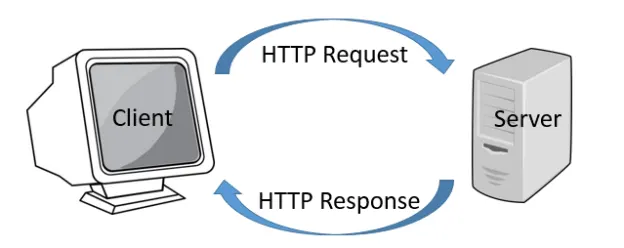
So in simple words, HTTP is the intermediary between you and someone that has what you want.
Now let’s explain it in a more technical way.
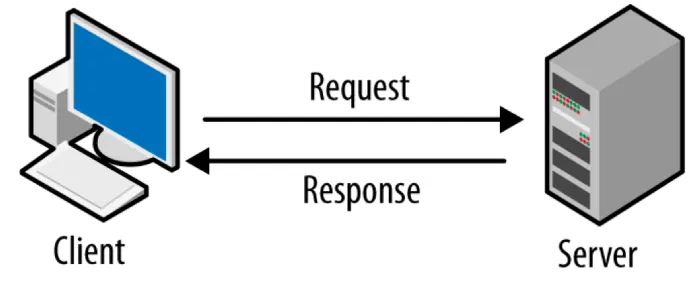
There is the client and the server.
A client in IT is software or hardware that can access a service hosted by a server.
When you try to access a resource hosted on a server you always make an HTTP request.
Here is what it looks like.
GET HTTP/1.1 200 OK
Server: nginx/1.19.0
Date: Wed, 05 May 2021 12:53:39 GMT
Content-Type: text/html; charset=UTF-8
Transfer-Encoding: chunked
Connection: keep-alive
X-Powered-By: PHP/5.6.40-38+ubuntu20.04.1+deb.sury.org+1
Content-Encoding: gzip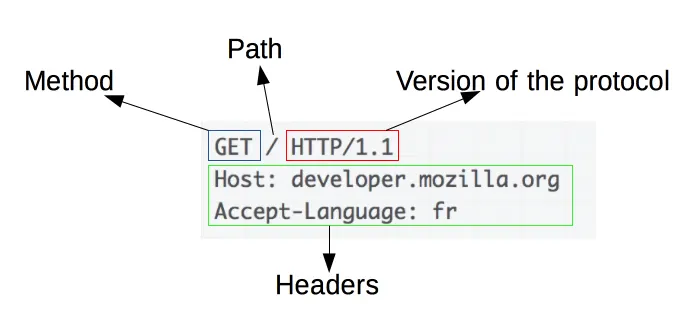
For the purpose of this story, we are not going to explain all in fact what we want it’s just at the 1st line.
However, if you want a deeper comprehension of HTTP requests I suggest developer.mozilla.org, the bible for web development.
2) HTTP methods
Whenever we want to make a request there are several methods to do it
based on what you want to do.
Here is the list.
- GET
- HEAD
- POST
- PUT
- DELETE
- CONNECT
- OPTIONS
- TRACE
- PATCH
In the example above I have used GET.
GET HTTP/1.1 200 OKNote: HTTP/1.1 is the HTTP version used in the request and the 200 response means that everything went right.
Now let’s explain all methods.
1) GET
Probably the most used method.
GET is used almost for everything (except for logins usually)
For example, when you search for something on the web you are 99% probably using GET.
2) POST
As we mentioned above GET is not used for logging in because whenever we use GET the parameter are passed in the search bar.

But when you log into your bank account or in your e-mail sensitive information such as username, and password cannot be passed in the search bar. So, we prefer the POST Method in this case
So the post is the same as GET except that all the URL parameters are not shown.
3) HEAD
This method is used when you want to show the headers in an HTTP request.
These are simple HTTP headers.
Server: nginx/1.19.0
Date: Wed, 05 May 2021 12:53:39 GMT
Content-Type: text/html; charset=UTF-8
Transfer-Encoding: chunked
Connection: keep-alive
X-Powered-By: PHP/5.6.40-38+ubuntu20.04.1+deb.sury.org+1
Content-Encoding: gzip
4) PUT
Probably the most dangerous HTTP method.
PUT is used when you want to upload files on the server.
This method should be disabled.
Note: If the file is uploaded successfully the server will respond with 201 success (File uploaded)
5) DELETE
Another dangerous method.
This is used when you want to delete files on the server.
Note: If the file is deleted successfully the server will respond with 202 success (accepted)
6) Connect
Connect is used when you want to create a tunnel between you and the server.
CONNECT server.example.com:80 HTTP/1.1
7) TRACE
This method in the past was used for debugging purposes.
When you use TRACE the server will respond with the exact request that you made, and it will prompt you to download a file that contains the saved request.
If enabled this method can be used to exploit XST (cross site tracing).
However, TRACE cannot be used in modern browsers for security reasons (apart from Internet Explorer).
8) OPTIONS
OPTIONS is used when you want to know which HTTP methods are active on the server.
9) PATCH
PATCH is used when you want to modify something in your server.
For example the content of a file.
3) How to see active HTTP methods on the server
There are many methods that you can see what are active methods in a server.
1) Use the options methods (if active)
You can use curl to do this.
curl -v -X OPTIONS <YOUR_TARGET>
Note: -X specify the method and -v is used for verbose.
2) Use the nmap HTTP-methods script
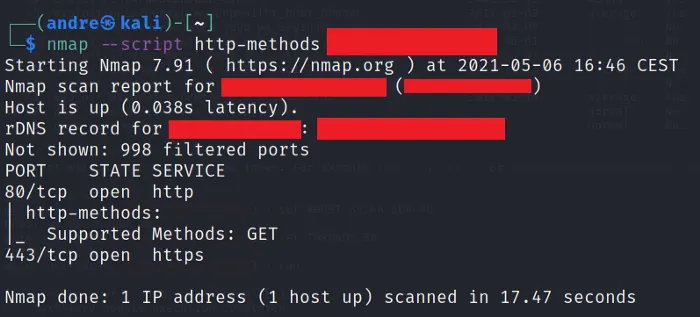
nmap --script http-methods <YOUR_TARGET>
3) Use Metasploit
Follow these steps.
1) use scanner/http/options
2) set RHOST <YOUR_TARGET>
3) run
Note: I tried using Metasploit many times, but the result is not very accurate so be careful.
4) Intercepting HTTP requests
Now it’s time to see how we can intercept HTTP requests.
We will use an amazing tool called Burpsuite.
Note: This is an amazing article if you want a depper compreinson of this tool.
Before we can start we must do a thing.
Burpsuite is an interceptor proxy a tool that stands between you and your browser and intercepts all the requests.
Firefox will block Burp because he thinks that is malicious software that is trying to steal your information.
So what we can do?
We will add a certificate to alert Firefox that this a good software.
Follow my steps.
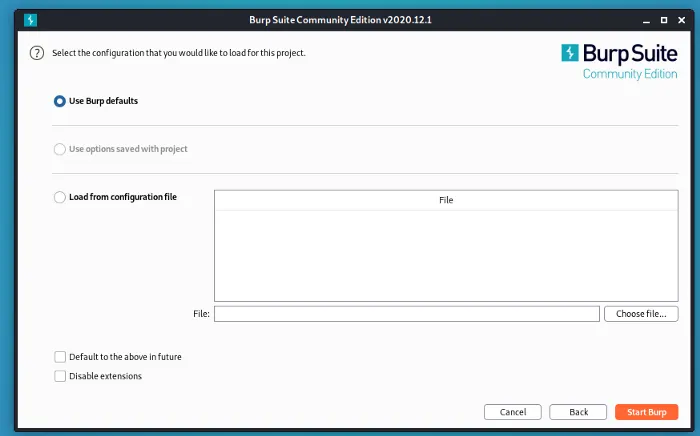
Start Burpsuite.
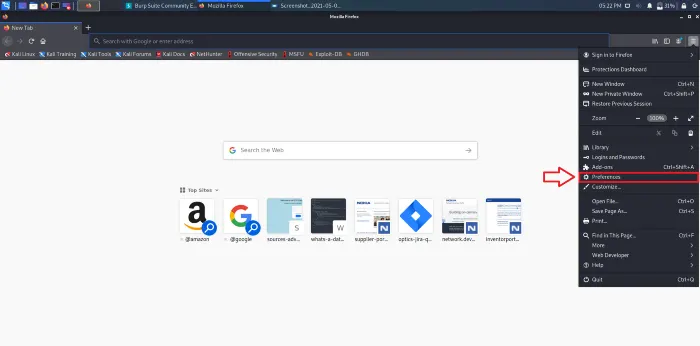
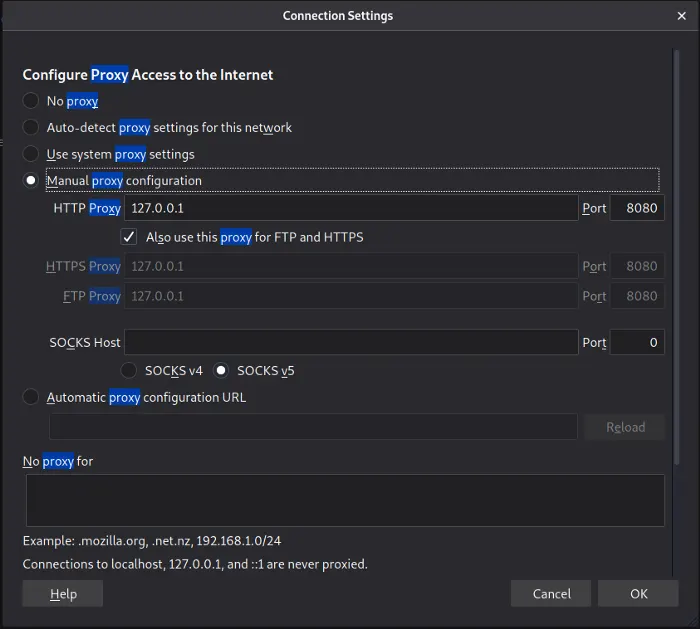
Go to Firefox and click settings.
Search proxy.
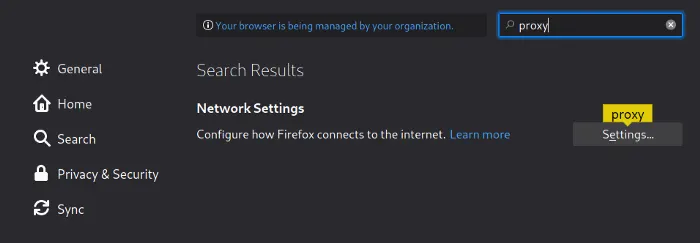
Select Manual proxy configuration and set the settings as in the photo.
Now type in the search bar http://burp.

And download the CA certificate.

After we have downloaded the certificate we need to import it.
In Firefox’s settings search certificates.
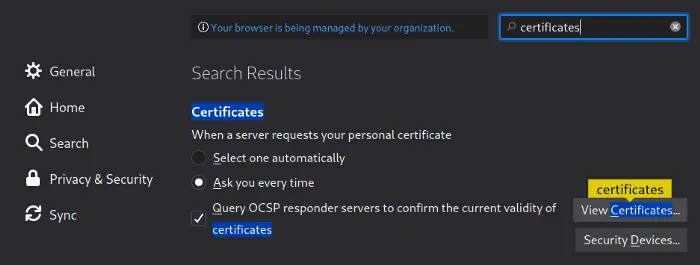
Click View certificates.
And then click import.
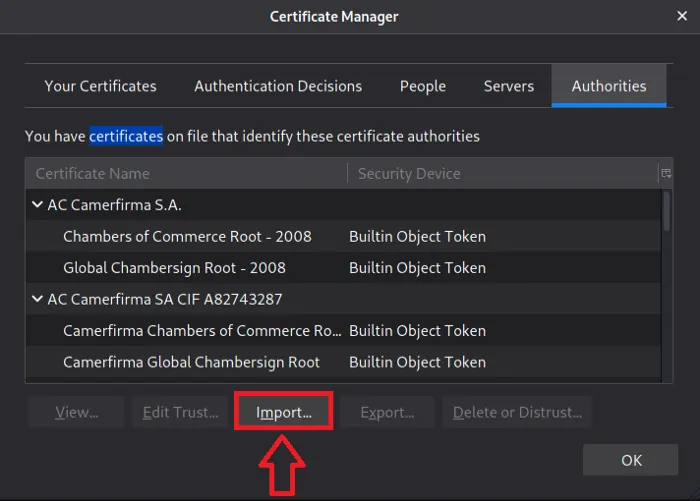
Select the certificate.

And now you should be able to intercept all the traffic.
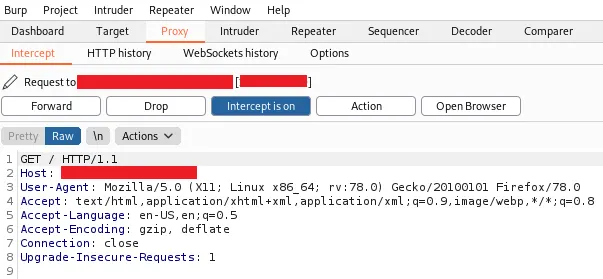
Note: Whenever Burp will intercept something you will see that the browser seems to load endlessly but don’t worry it’s normal just forward the request with the button above, or you can turn off the interceptor.
Now we send the request to the repeater, so we can handle the request in a more comfortable way.
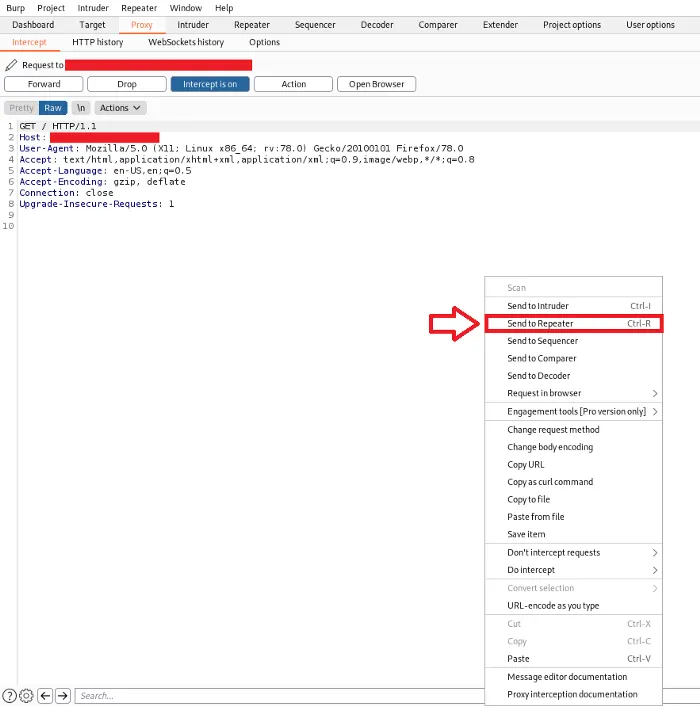
Note: Repeater permit you to modify HTTP request.
Note: After you have closed Burpsuite return to proxy setting and set No proxy.
5) Modifying and exploiting HTTP requests
After you have identified the active method on the server it’s time to modify the request and see if you can exploit something.
In this case I have modified the previous request with PUT.
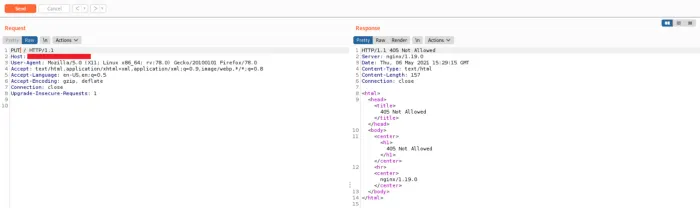
Unfortunately the PUT method is not allowed on this server.
Note: Another common HTTP status you can receive when you test HTTP methods is 403 (forbidden) because sometime PUT, DELETE etc can be active on a server, but a firewall can block your requests for safety reason.
If you want you can change the path for uploading or deleting files.
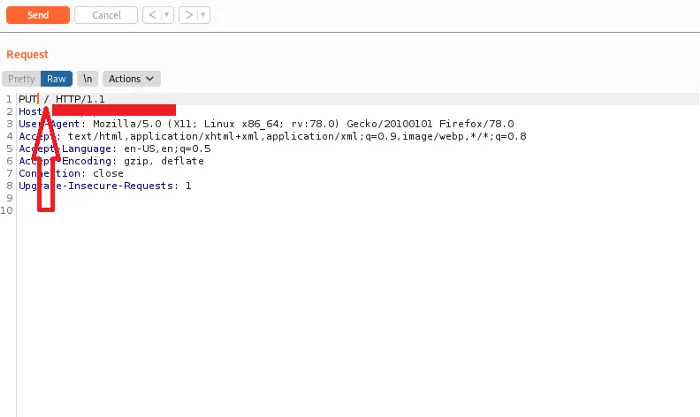
Note: I suggest you to not deal with 302 responses (redirect) because sometimes it happened to me that I was not able to exploit them instead use 200 responses.
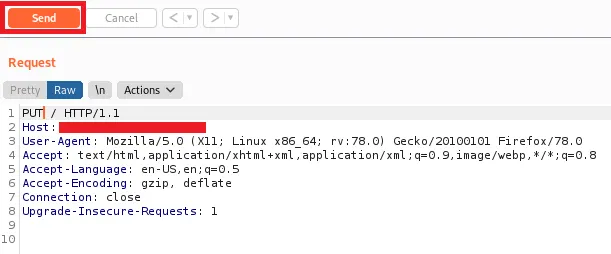
After you have modified your request click send.
Conclusion
These are the steps that you should follow when you are trying to exploit HTTP requests.
- Find a target (subdomains are betters)
- Use the method above to identify what are active methods, try both in a manual way and in an automated way.
- If some juicy method is active try to exploit it by modifying the request in Burpsuite.
I suggest you report PUT and DELETE but if you want you can report TRACE too, but every time I have reported it I never got a bounty.
I hope you enjoy it, and you have learned something new today if you have any advice or any question please leave a response, thank you.